Creating your personal dashboard with Glance
Build a practical Glance dashboard on top of your CasaOS/home-server stack, with sidecar containers, community widgets, and custom API panels.
So you’ve got CasaOS running, a handful of services humming along, and now you’re staring at a dozen different tabs trying to keep track of everything. Sound familiar?
That’s exactly where Glance comes in handy.
This guide walks through how I actually built my own dashboard—not some theoretical perfect setup, but the real config I use every day. I’ll show you how to put together something solid without creating a fragile house of cards that breaks every time you sneeze.
- My reference repo: jR4dh3y/homelabs - dapps/glance
- The Glance project itself: glanceapp/glance
First Things First: What Glance Actually Is
At its core, Glance is a config-driven dashboard renderer. You write some YAML, Glance turns it into a pretty page. Simple as that.
But here’s the thing—you need to understand what you’re working with:
- This isn’t React or Svelte. You’re not building reactive apps with state management and component lifecycles.
- Most of the “dynamic” behavior is really just polling APIs, rendering templates, and caching results.
When you’re designing a widget, ask yourself:
- “Can I grab this data every 10 seconds, minute, or hour without getting rate-limited?”
- “Can I render this safely in a template without breaking everything?”
- “What happens when this API inevitably goes down?”
Keep those constraints in mind and Glance becomes incredibly powerful. Ignore them and you’ll have a bad time.
Why I Run Multiple Containers (The Sidecar Pattern)
My dashboard isn’t just a single glance container. I’ve got a little ecosystem going:
glance— the main dashboardnetstat— a tiny custom endpoint that feeds my network usage widgetf1_api— a Formula 1 data service that powers several F1 widgets
Here’s my docker-compose.yml if you want to see how it’s wired up.
This pattern is genuinely useful. You can spin up small helper containers to:
- Scrape or process data that Glance can’t fetch directly
- Clean up messy API responses into something usable
- Expose a tiny internal endpoint for a specific widget
- Keep your dashboard logic completely separate from your app containers
The best part? If a helper container crashes, your whole server doesn’t go down—just that one widget stops working.
How I Organize My Files
Here’s the folder structure that works for me:
/glance
  docker-compose.yml
  /assets
    user.css
  /config
    glance.yml
    your_page.yml
  /other_containers
    Dockerfiles, scripts, etc.
My actual config files if you want to poke around:
- config/glance.yml
- config/server.yml
- config/dev.yml
- config/media.yml
- config/game.yml
- config/reddit.yml
- config/f1.yml
- assets/user.css
Getting Started
1) Fire Up Glance with Docker Compose
Grab that compose file I linked above and tweak a few things:
- Adjust the network name (I use
proxy) - Update the host mappings (
extra_hosts) for your setup - Add or remove helper services depending on what you need
2) Keep Secrets in .env
Here’s what my .env typically looks like:
GLANCE_SECRET_KEYADMIN_PASSWORDITAD_API_KEYSTEAM_API_KEYSTEAM_USERUSER_ID1throughUSER_ID4CIDER_HOSTCIDER_API_TOKEN
Never hardcode tokens in your page files. Keep them in your environment and let Glance interpolate them. Future you will thank present you when you need to rotate keys.
3) Split Your Pages with $include
In your main glance.yml, stick to the global stuff:
- Authentication settings
- Theme configuration
- Custom CSS paths
- Page includes
Then break out the actual page content into separate files (server.yml, dev.yml, etc.). Trust me, when your dashboard grows, you’ll be glad you did this early.
What Each Page Actually Shows
I’m not going to dump massive YAML blocks here—that’s what the linked files are for. But here’s what each page covers in my setup:
- Home page: Search bar, clock/calendar, Docker status, server stats, that custom network widget I mentioned, weather, and a little branding block
- Dev page: RSS clusters, Hacker News and Lobsters feeds, GitHub/Vercel/Dependabot-style API widgets, plus a to-do list
- Media page: Twitch and YouTube streams, plus a custom “Now Playing” card for music
- Gaming page: Epic freebies, Steam deals, profile info, friends list, recently played games
- Reddit page: Grouped subreddit feeds organized how I like them
- F1 page: Weather, standings, track info, timeline, and session data—all powered by that sidecar API I mentioned
Screenshot Slots
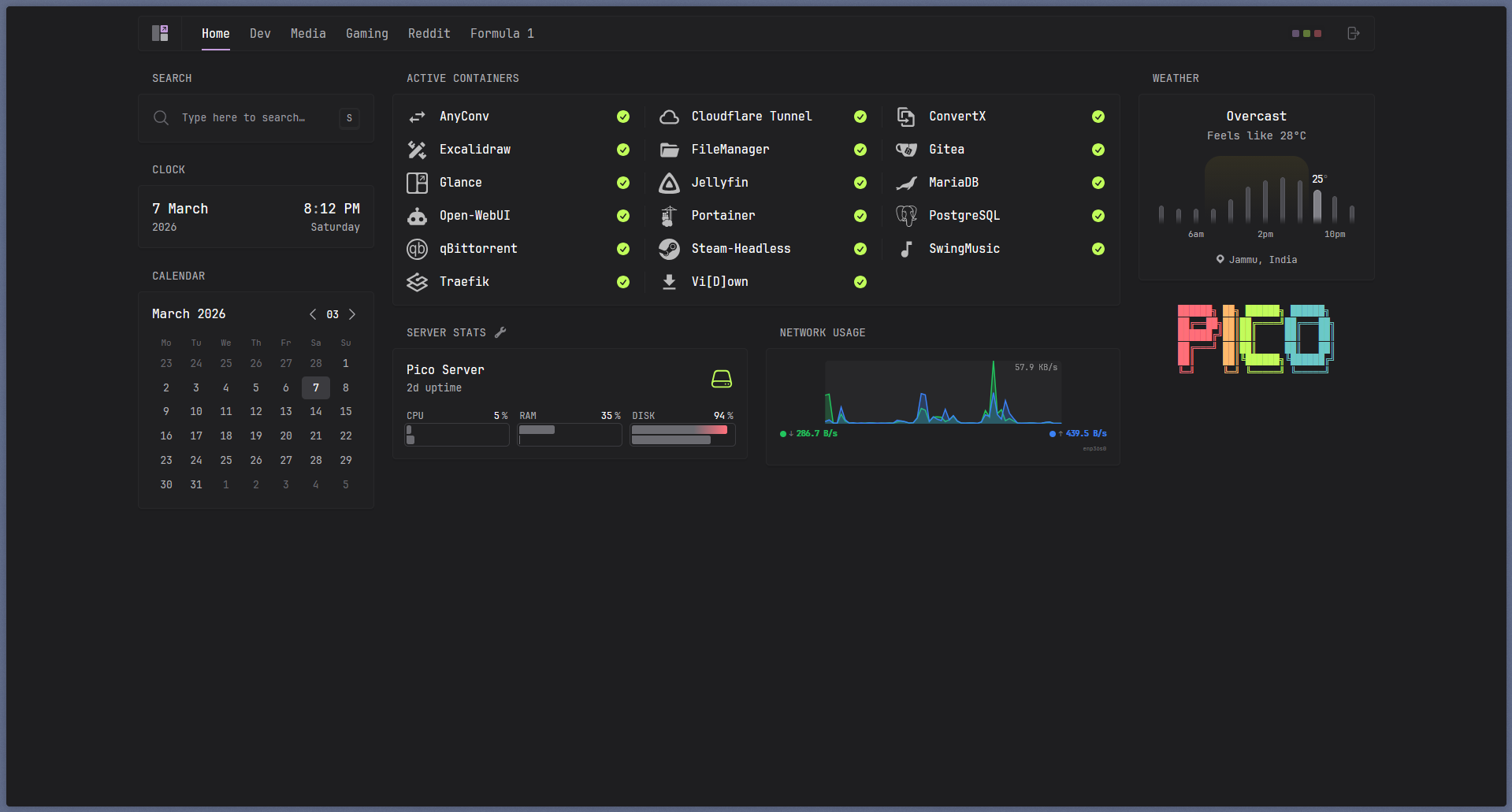
Home page overview with search, server stats, Docker status, and the custom network widget.
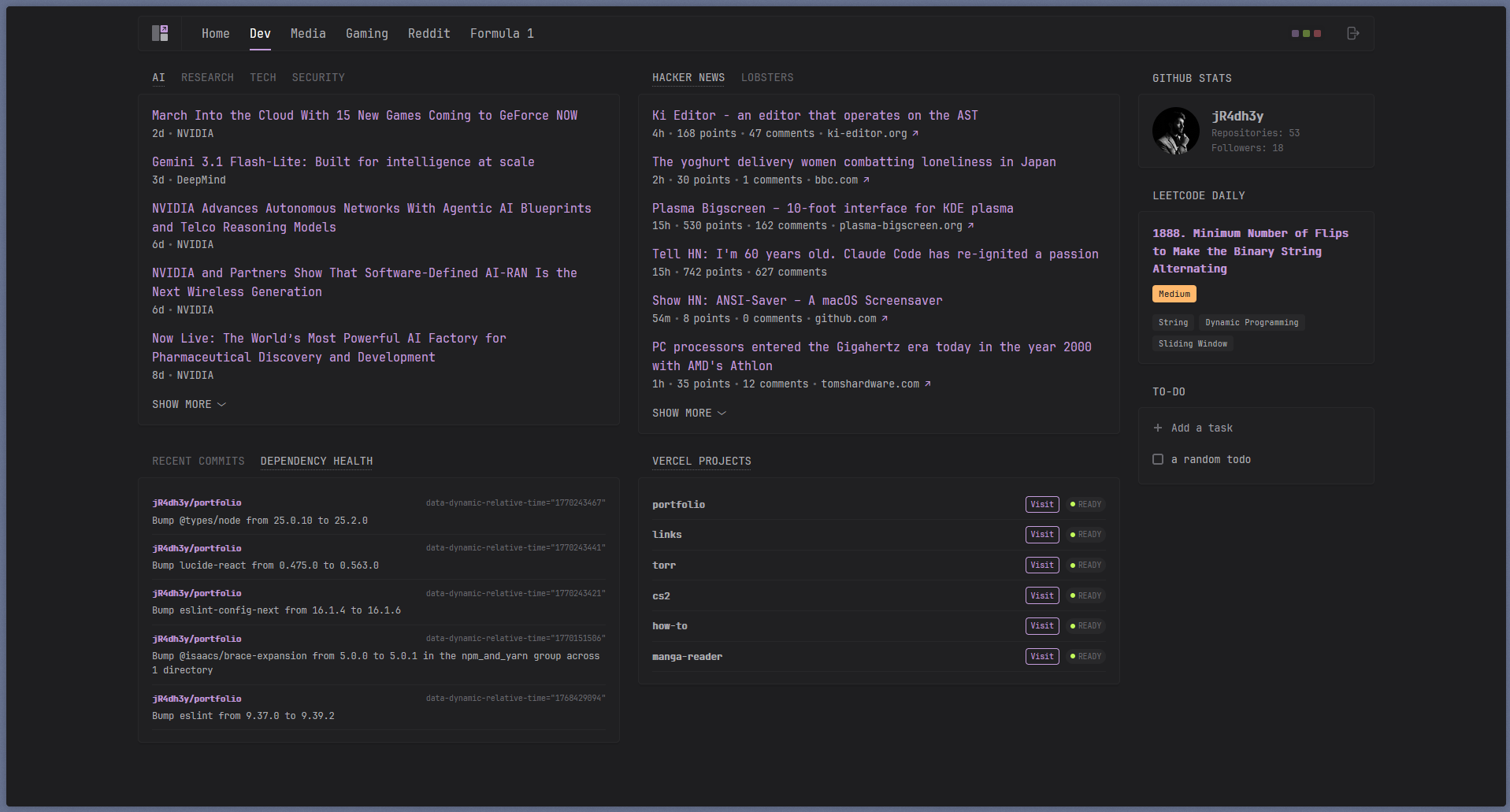
Dev page with feeds, API widgets, and the task list all in one place.
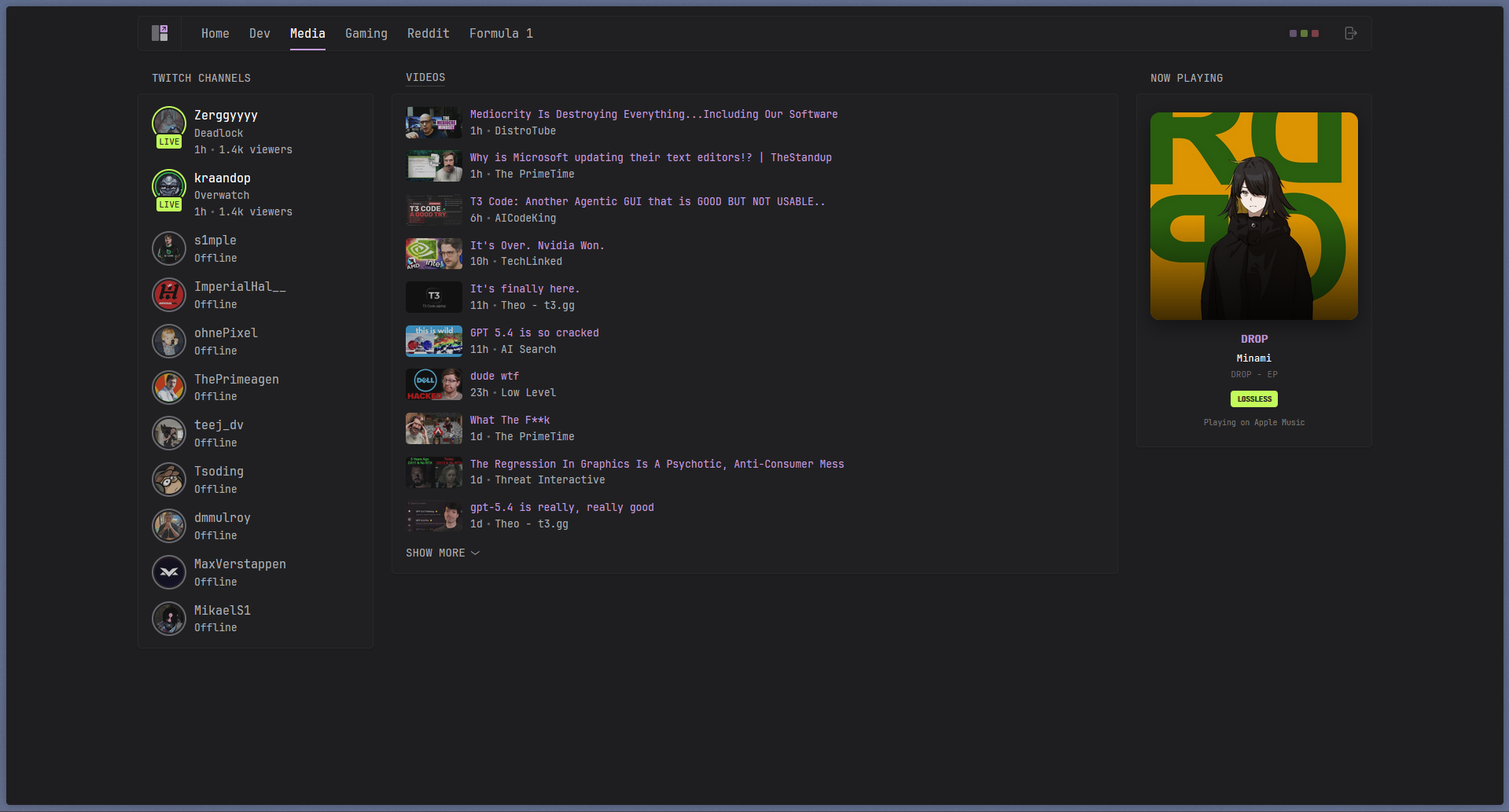
Media page showing streams and the custom Now Playing card.
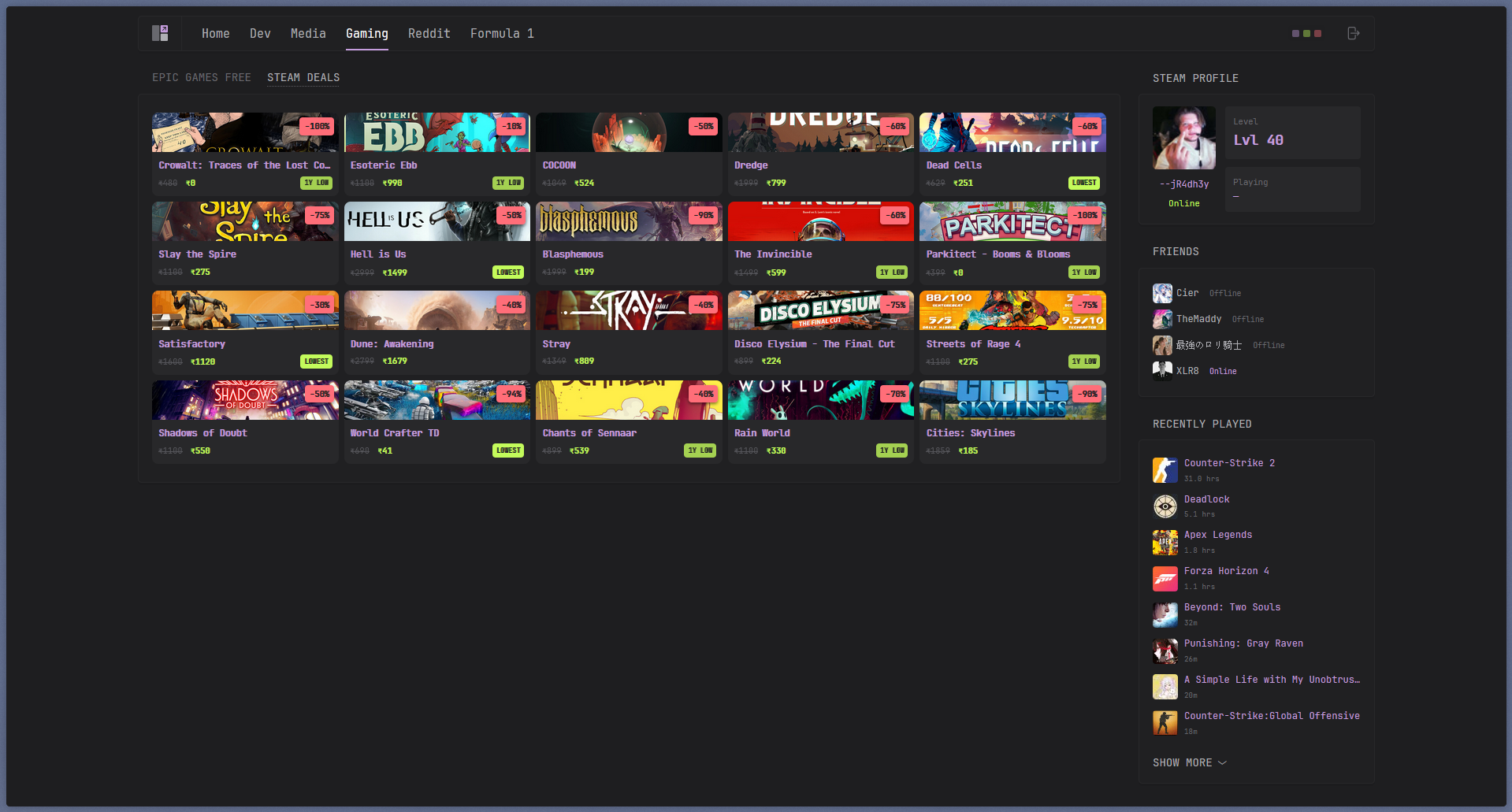
Gaming page with freebies, deals, profile info, and recently played games.
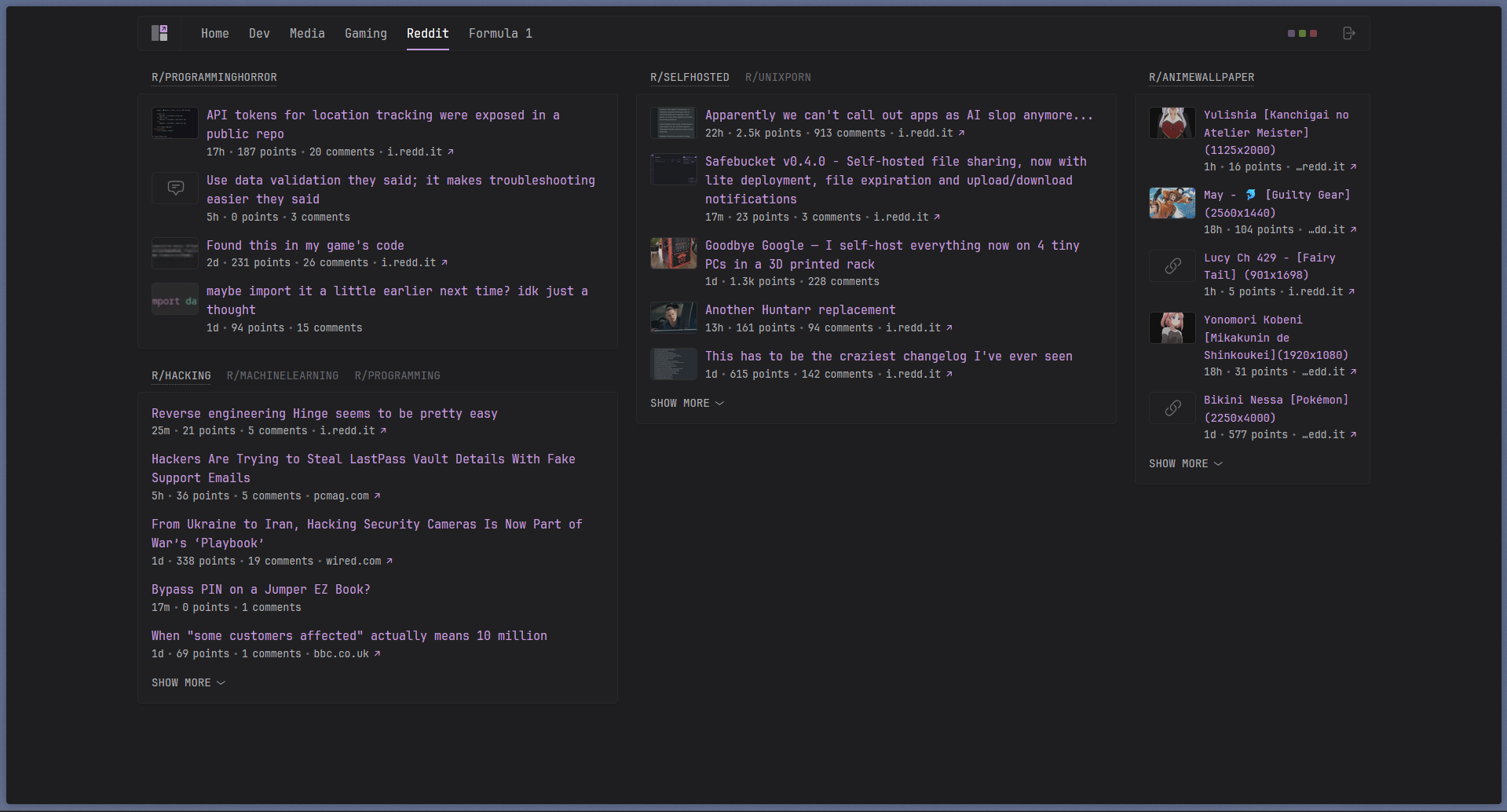
Reddit page organized into grouped subreddit sections.
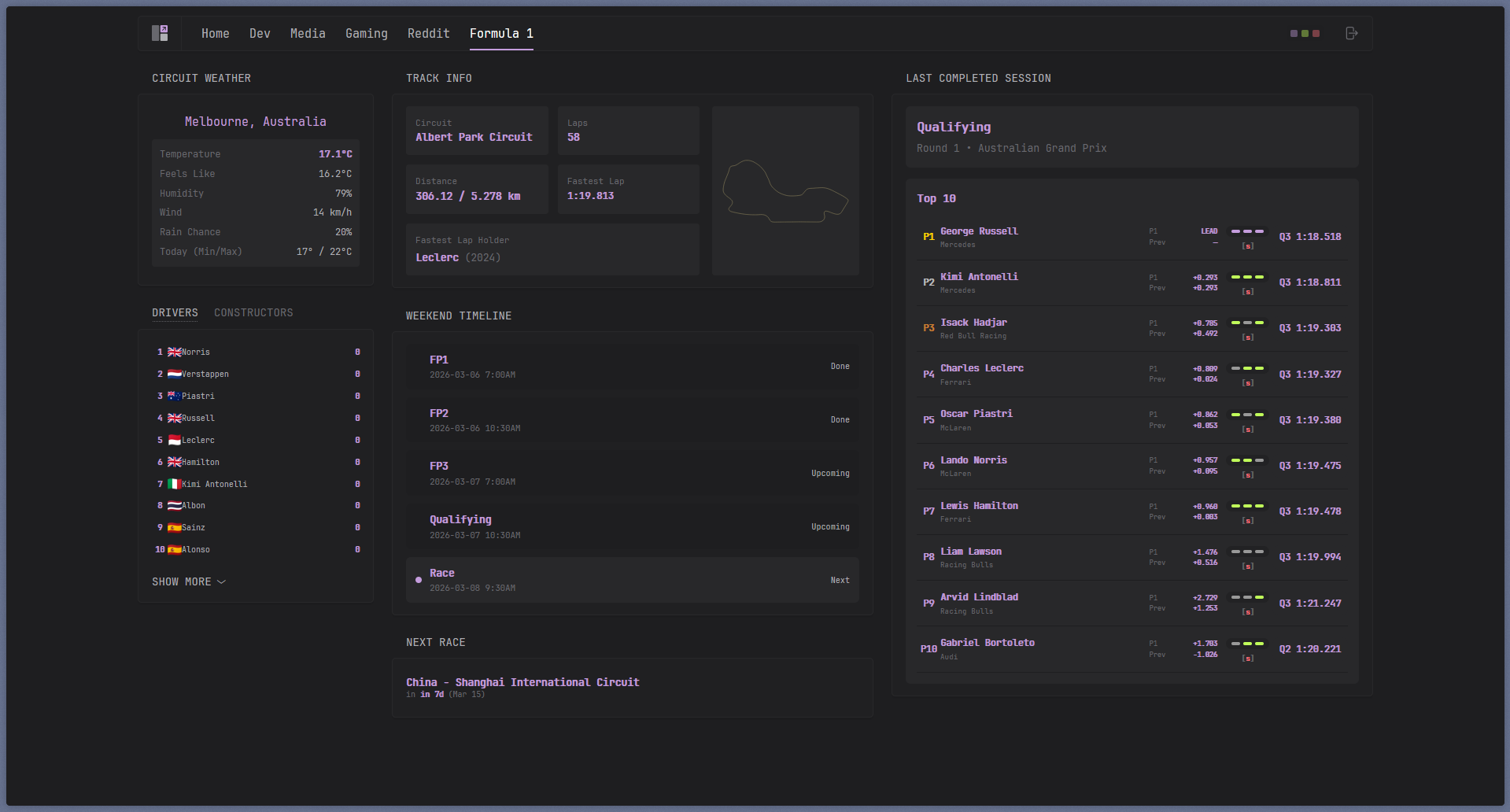
F1 page powered by the sidecar API with race data, weather, and standings.
Community Widgets vs. Custom Widgets
Start with the official docs:
- Glance configuration: configuration.md
- Custom API docs: custom-api.md
- Community widgets: glanceapp/community-widgets
Here’s my general rule of thumb:
- Built-in widgets: Always try these first. If they do what you need, you’re done.
- Community widgets: Great when someone’s already solved your exact problem and is maintaining it.
- Custom API widgets: Perfect when you’ve got a JSON endpoint and just need to render it nicely.
- Extension widgets: Use sparingly. Only for trusted sources since you’re pulling in external HTML.
When Custom Widgets Actually Make Sense
Don’t build custom widgets just because you can. Build them when they add real value:
- You’ve got data scattered across multiple sources and want to aggregate it into one clean view
- You need to surface critical server health info that built-in widgets don’t cover
- You want a personal dashboard block that combines music, weather, and calendar in one place
- You’re heavy into a niche service that has no existing widget
If a built-in widget gets you 90% of the way there, just use it. Simplicity wins.
Where to Host This Thing
Yeah, you could run this on your laptop. But for a daily dashboard? That’s usually more hassle than it’s worth:
- Your laptop sleeps or hibernates, dashboard goes down
- Network and IP changes break your access
- Background services on a laptop just aren’t as reliable as a proper server
Better options:
- Self-host on an always-on home server (this is what I do)
- If you just need static info, a plain HTML/CSS/JS site on Vercel or Netlify works fine
- If your use case is mostly static anyway, maybe you don’t need Glance at all
Glance really shines when you need an authenticated, self-hosted, API-driven dashboard for your personal infrastructure.
Lessons Learned (So You Don’t Have to)
- Keep secrets in
.envonly. Seriously, never commit real API keys. - Split configs by page and keep your root
glance.ymlclean. - Set reasonable cache intervals or you’ll hit rate limits fast.
- Build fallbacks into your templates for when APIs go offline.
- Minimize sketchy HTML usage—only trusted sources.
- Version control your configs and assets. You’ll want to rollback eventually.
- Don’t cram everything onto one page. Separate by context.
Quick Troubleshooting
| Problem | Likely Cause |
|---|---|
| Widget is blank | Check the URL, auth header/token, and JSON path in your template |
| Widget feels stale | Lower the cache interval or hard-refresh your browser |
| Helper widget dead | Check if the sidecar container is actually healthy |
| Docker widget empty | Verify Docker socket mount and permissions |
| Extension widget broken | Check internal hostname/port and network reachability |
| Random failures | Bump up the timeout for slower APIs |
Parting Thoughts
Think of your dashboard as a small product you’re building for yourself:
- Give each page a clear purpose
- Use reliable data sources
- Keep the visual noise to a minimum
- Handle secrets properly
Do those things and Glance becomes ridiculously useful while staying easy to maintain.
For the exact implementation, check out my live reference: https://github.com/jR4dh3y/homelabs/tree/main/dapps/glance